


- Remarkably thin profile
- Beautiful Super AMOLED screen
- Great keyboard accessory
- Higher price point
- Keyboard case blocks camera
- Mediocre battery life
The lines have been blurring for some time now. It used to be that you’d have touchscreen tablets that are used mostly for media consumption, and then you have proper laptops for when you want to be a little more productive. These days, you’ve got plenty of convertibles and 2-in-1s that fit somewhere in the middle, theoretically offering you the best of both worlds. And as such, some people are saying the tablet is dead. Samsung disagrees. Enter the Samsung Galaxy Tab S3.
The Samsung Galaxy Tab S3 arrives at the more premium end of the Android tablet market. If you’ve been thinking about picking up an iPad Pro or a Surface Pro, this is actually a more affordable alternative. But is it the right choice?
Samsung Galaxy Tab S3 Highlights


It doesn’t take a rocket scientist to realize that Apple and Samsung have been “borrowing inspiration” from one another for a number of years. That’s why it’s not at all surprising that the 1st generation 9.7-inch iPad Pro and the Samsung Galaxy Tab S3 share a lot of similarities. For starters, they both have 9.7-inch screens with resolutions of 2048 x 1536 pixels. The iPad Pro has an IPS panel, whereas the Samsung goes with the company’s signature Super AMOLED.
It’s a matter of personal preference whether you prefer this sort of square-ish aspect ratio over the elongated 16:9 that has been the standard on Android tablets for so long. The rest of the specs put the Galaxy Tab S3 in line with the company’s mid-range to upper end smartphones. This model came equipped with a Snapdragon 820 quad core (2.15GHz + 1.6GHz) chipset with Adreno 530 graphics, 4GB of RAM, 32GB of storage, microSD expansion, quad speakers tuned by AKG, and a 6,000mAh battery.
Rounding out the specs are fast charging via the USB-C (USB 3.1) port, the included S Pen stylus, fingerprint sensor built into the home button, a 13MP camera on the back, and a 5MP camera on the front.
Samsung Galaxy Tab S3 – Slim, Svelte, and Spectacular?

People tend to have a love them or hate them relationship with Samsung, so you really shouldn’t expect any different with the Galaxy Tab S3. It’s glass all around, including the back, so you’ll probably want to keep a cleaning cloth handle to wipe away your smudges and fingerprints.
The bezels around the screen are understandably nowhere near as minimal as we see on the Galaxy S8, but this perhaps makes more sense on a tablet to provide you with an easier way to hold it. The body itself is remarkably slim at about 6mm (0.24 inches) of thickness, but the construction is very solid with minimal chassis flex.

I’m not that big on stylus use, but the Galaxy Tab S3 does come with an S Pen. Unlike the Galaxy Note phablets, however, there is no built-in slot for you to put away the stylus when you’re not using it. This is also because the S Pen is decidedly larger, like the size of a regular pen. The trade-off is that it’ll be more comfortable and more natural to use.
A Smarter Keyboard for Productivity

Sold as an optional accessory, the keyboard is really a must-have for anyone who wants to be reasonably productive on this tablet. What’s great is that you don’t have to deal with unsightly clips or anything like that, because it’s all held in place with magnets. It automatically fits on the back and you very easily and naturally align the golden pins for connection in laptop mode.
There’s a groove there where the tablet naturally fits. When the pins connect, the tablet automatically wakes up too. Despite being on the necessarily smaller side, the keyboard is actually very comfortable to use with well-spaced keys. There’s good tactile feedback, though I did find myself missing the right shift key for whatever reason. If you prefer the soft keyboard, there’s a key on the physical keyboard to bring that up. Not sure why you’d want to do that, though.
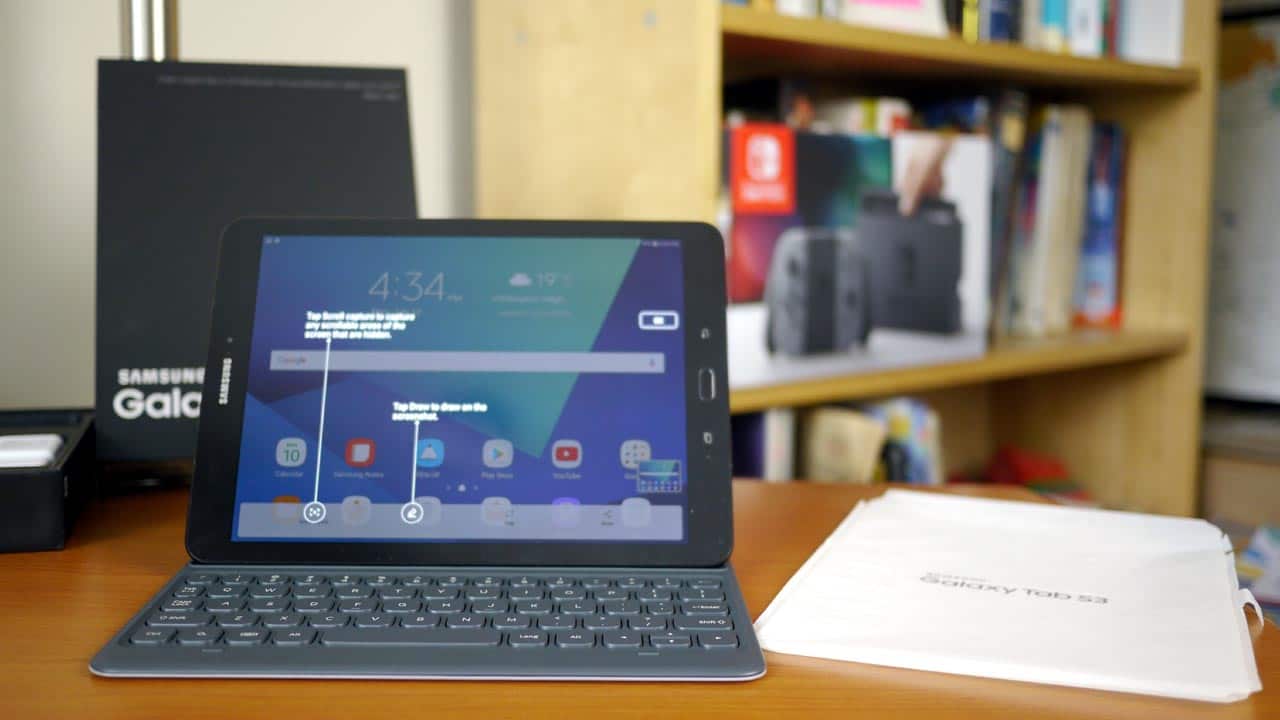
The keyboard portion is slightly recessed, so it’s also easy enough to close everything up and use the keyboard cover as a protective case for your tablet. Three of the four edges are still exposed, of course. One curiosity with this keyboard case, though, is that there is no cutout for the rear camera, just a slight indent. This means if you want to take a picture, you need to take it out of the case. How does that make sense?
As an aside, the photos taken by this tablet are perfectly fine, but hardly spectacular. You can check out a couple of sample photos on Flickr to see for yourself.
The Daily Experience

Long story short, I like it. I’ve always been a fan of Samsung’s Super AMOLED screens and the Galaxy Tab S3 is no exception. It’s perfect for playing games, watching videos and even simpler tasks like browsing the web. I appreciate the decidedly slim form factor and the keyboard accessory is right on point for productivity, though it’s questionable how much you can really get done with Android.
And that really leads to the biggest question that someone might have about a device like this. Why would you still spend this much money on a tablet (plus the optional keyboard, which you really do have to get) when you can spend a little more and get a “real” machine running on Windows? Samsung sells those too. Again, this is a decision you’ll really need to make for yourself.
The aspect ratio of the screen is also worth discussing. I found it pleasant when I was typing up a text document, for example, as well as while I was surfing my way around in the web browser. Some games adapt just fine to the different screen size too, but as soon as you start playing a regular 16:9 video, you get those black bars at the top and bottom.
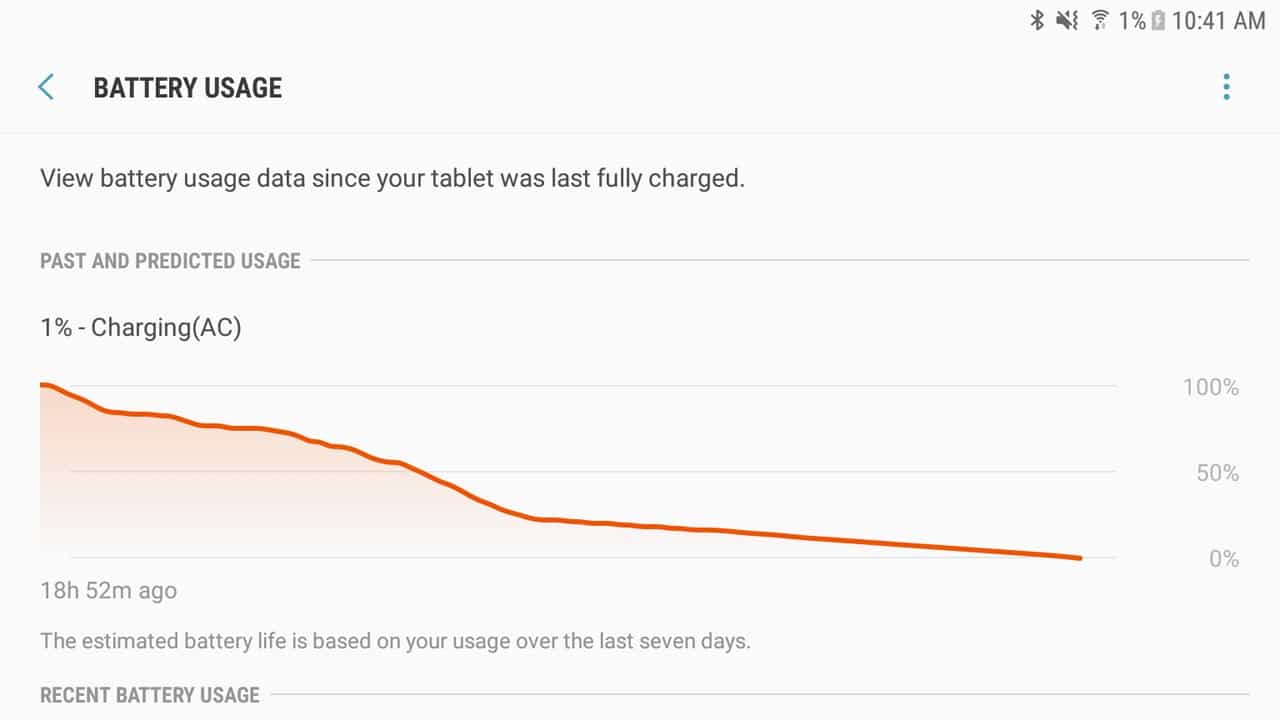
In terms of battery life, with moderate usage, I found myself charging this tablet almost every day. Total screen on time was in the four to five hour range, which is hardly spectacular. If this is meant to be more of a productivity machine for professionals, that non-removable 6,000 mAh battery might not be enough.
Benchmark Performance

In Geekbench 4.1.0 for Android, I ran both the standard test and the RenderScript test. With the former, the Tab S3 earned a single-core score of 1728 and a multi-core score of 3985. The single-core is comparable to the 1854 earned by the Samsung Galaxy S8+ in our testing, but falls well short of the 6291 in multi-core earned by Samsung’s flagship smartphone. The RenderScript score came back as 6855.

In AnTuTu, the Tab S3 earned a score of 136,600. Compare that to the 164,716 earned by the Galaxy S8+.

A similar story can be found in 3DMark’s Sling Shot Extreme benchmark where the tablet earned 2490 (vs. 3500 on S8+).

And finally, in the PCMark Work 2.0 performance benchmark, the Galaxy Tab S3 came back with a score of 5438.

Subjectively, performance was perfectly adequate under most circumstances. I did encounter some significant slowdown while playing South Park: Phone Destroyer when there were more characters and action on the screen, however. This might be due to the beta nature of the game or it might be due to the tablet. I can’t say for certain.
MEGATechie Fan-tab-ulous S3 or MEGATechie Why Bother?

At the end of the day, there’s a lot to like about this tablet. The screen is gorgeous, the profile is about as thin as it gets, the build quality is premium, and the keyboard case is a joy to use. It’s great for multimedia consumption, just as much as it’s good for productivity and making your way through those TPS reports.
But I’d argue there is really only so much you can do with Android before you start itching for the more robust environment of Windows 10. You lose out on some of the casual games you may enjoy on Android, to be sure, but if this is being targeted at the mobile professional, I imagine that’s not a big sacrifice. I do question why there’s no cutout for the camera in the keyboard case too.
At about US$600 including the keyboard cover (about $800 Canadian, plus $200 for the keyboard case), the Samsung Galaxy Tab S3 isn’t cheap. But you do get a truly premium experience here with quad speakers, fast charging, and multitasking (with split-screen) for optimal productivity. It’s not for everyone. If you’ve got an expense account and plan on using this for some light work on the go, the Tab S3 is a solid choice.


